What Is Free Web Hosting?
Free web hosting is a service that stores your website’s files — the HTML, CSS, images and databases — on a server connected to the internet, at no cost to you. When someone types your address, that server sends the pages back. Without it, your site exists only on your own machine.
Think of it as renting space on the internet, except the rent is waived. What the provider recovers instead is usually one of three things: your pages carry their branding, your site sits on a subdomain of theirs, or the free tier is narrow enough that anything real pushes you onto a paid plan. None of that is dishonest, but it is worth knowing which trade you are making before you build on it.

What Is a Free Website Builder With Hosting?
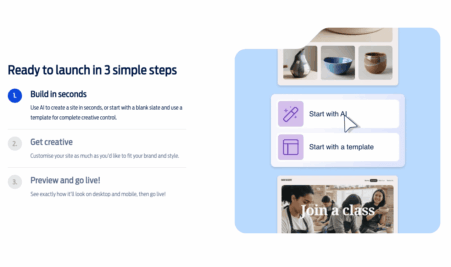
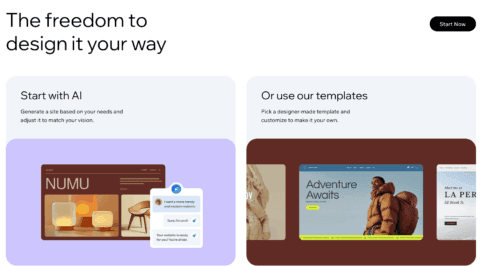
A free website builder with hosting bundles the design tool and the server into one product, so there is nothing to connect and no DNS to configure. Wix, Webador and Site123 all work this way: you pick a template, edit it in the browser, press publish, and the hosting is simply already there.
The convenience is real and so is the constraint. Because the builder and the host are the same company, a site built this way cannot be exported to a different provider later. That is the central trade-off in free website hosting, and it is the thing most comparison pages skip.
How Does Free Web Hosting Work?
Mechanically, a free plan works exactly like a paid one. Your files sit on a server, DNS points your address at that server, and the server returns pages when browsers ask for them. The difference is resource allocation, not architecture: free accounts share a smaller slice of the same machines and are first in line to be throttled when a neighbour gets busy.
Getting live takes four steps:
Step 1: Sign up for a free plan, a free trial, or a plan with a money-back guarantee
Step 2: Choose an address — a provider subdomain on a free tier, or a custom domain, which several hosts include free for the first year
Step 3: Upload your files, or build the site in the provider’s own editor
Step 4: Point DNS at the host and let the SSL certificate issue, which is usually automatic and takes a few minutes
That is genuinely all there is to how to host a website for free. If you later outgrow the free tier, every provider on this page makes upgrading a one-click change rather than a migration.
Types of Free Web Hosting
There is no single free hosting product. These are the four types you will actually encounter, and what each is good for.
Free shared hosting
The most common free offer, and the most limited. Your site shares a server with many others, so performance varies with what your neighbours are doing. Fine for a blog, a brochure site or anything low-traffic. Free tiers typically cap storage and bandwidth tightly; paid shared hosting removes those caps for around a pound a month.
Builder-bundled free hosting
Hosting included with a website builder, as on Wix, Webador and Site123. The easiest route to a live page and the only genuinely permanent free option here, at the cost of portability and a provider subdomain.
Free trials and money-back windows
Not free hosting in the strict sense, but free in practice if you are evaluating. Bluehost and IONOS both run 30-day money-back guarantees, which is long enough to build a real site and decide properly. Diary the deadline.
Free VPS trials
Genuinely free VPS hosting is rare. What exists instead is discounted introductory pricing and occasional trial periods. A VPS gives you dedicated resources rather than a shared slice, which matters once a site has outgrown shared hosting — but it is a step up in both cost and administration.
Free Hosting or a Cheap Paid Plan?
This is the decision the whole page comes down to. Free tiers win when the site is genuinely disposable: a test, a college project, a first attempt at a layout. Nothing is lost if it stays on a subdomain.
Paid wins as soon as the site has a job to do. For 99p to £1 a month you get a custom domain, an uptime guarantee, unmetered or generous bandwidth, and the ability to move hosts later. That is a meaningful upgrade over free website hosting for less than the price of a coffee a year, which is why our top two picks are both low-cost paid plans rather than free tiers.
The one caveat to hold onto: introductory pricing is introductory. Every cheap first term on this page renews at a standard rate, and the gap is usually large. Check the renewal figure at checkout and treat it as the real price.
Conclusion
The best free web hosting depends on what you are building. If you need a site online today at no cost, Wix’s free plan is the strongest option here and will stay free indefinitely. If the site matters — a business, a shop, anything you want found in search — Fasthosts at 99p a month or IONOS at £1 a month give you a real domain, a real uptime guarantee and a way out later.
Whichever route you take, read the renewal terms before you commit and check whether SSL, backups and support are included or extra. Those four things separate a host you will be happy with in year two from one you will be trying to leave.
Frequently Asked Questions
How do I get free web hosting?
Sign up with a provider that runs a permanently free tier — Wix, Webador and Site123 all do, with no card required. You get hosting, an SSL certificate and a subdomain at no cost. Alternatively, use a 30-day money-back guarantee from Bluehost or IONOS to run a full paid plan free for a month.
Is free website hosting actually any good?
For testing, learning and small personal projects, yes. Free tiers give you working hosting with SSL included. The limits are storage and bandwidth caps, provider branding, a subdomain instead of your own address, and usually no uptime guarantee — which is why they suit experiments better than businesses.
What is the catch with free hosting?
Usually one of three: your pages carry the provider’s branding, you get a subdomain rather than a custom domain, or the site cannot be migrated elsewhere. Builder-bundled free hosting has all three. None is hidden, but they are rarely on the front of the pricing page.
Do I need separate hosting if I use a website builder?
No. Builders like Wix, Webador and Site123 include hosting in the subscription, so there is nothing else to buy. You only need standalone hosting if you are running WordPress or a custom-built site.
Can I use my own domain with a free hosting plan?
On most free tiers, no — you get a provider subdomain, and connecting a custom domain requires an upgrade. Several paid plans include a domain free for the first year instead, which is often cheaper than buying the domain separately.
Can I move my site to a different host later?
It depends on the type. Sites on standard hosting, including WordPress, can be migrated and most hosts provide tools to help. Sites built on a bundled builder such as Wix cannot be exported to another provider, so that decision is harder to reverse.
Is free hosting secure?
A free SSL certificate is standard across every provider on this page, so traffic to your site is encrypted either way. What varies is everything behind it — backups, DDoS protection and malware scanning are frequently paid extras on free tiers. Check which are included before you rely on them.